The AI Wrote the Code. So What Did I Actually Do?
I want to share the honest truth about vibe coding my app Tellie. The part where I tell you exactly how we built it. By "we" I mean me and Claude. I had the idea, the taste, the customer wishes (because I was the customer), and a Mac. Claude wrote every line of code and I brought every idea.

I spoke about Tellie in my last article about how I built a Mac app in 3 days and later about my imposter syndrome being proud of something I didn't (fully) do.
This article is for two kinds of people. The first is the creator who has been quietly thinking "I have an idea for an app, but I'm not a real developer." The second is the developer who wants to know whether AI coding actually does what people say it does, and where the seams are.
I am the first kind of person. I have shipped products my whole career, but I am not a programmer. I had never written a line of SwiftUI before this project. I know what good looks like, I know what shipped looks like, and I know how to break things by using them. Claude knew everything else.
Here is how it actually went.
The shape of the work
Most of our sessions looked like this. I had an idea. I described it in plain English. Claude wrote the code. I built the app and used it on my own Mac. I told Claude what was wrong, in the language of "when I scrolled the prompter, the underline jumped 30 words ahead." Claude proposed a fix. I tried again. We commit when it works.
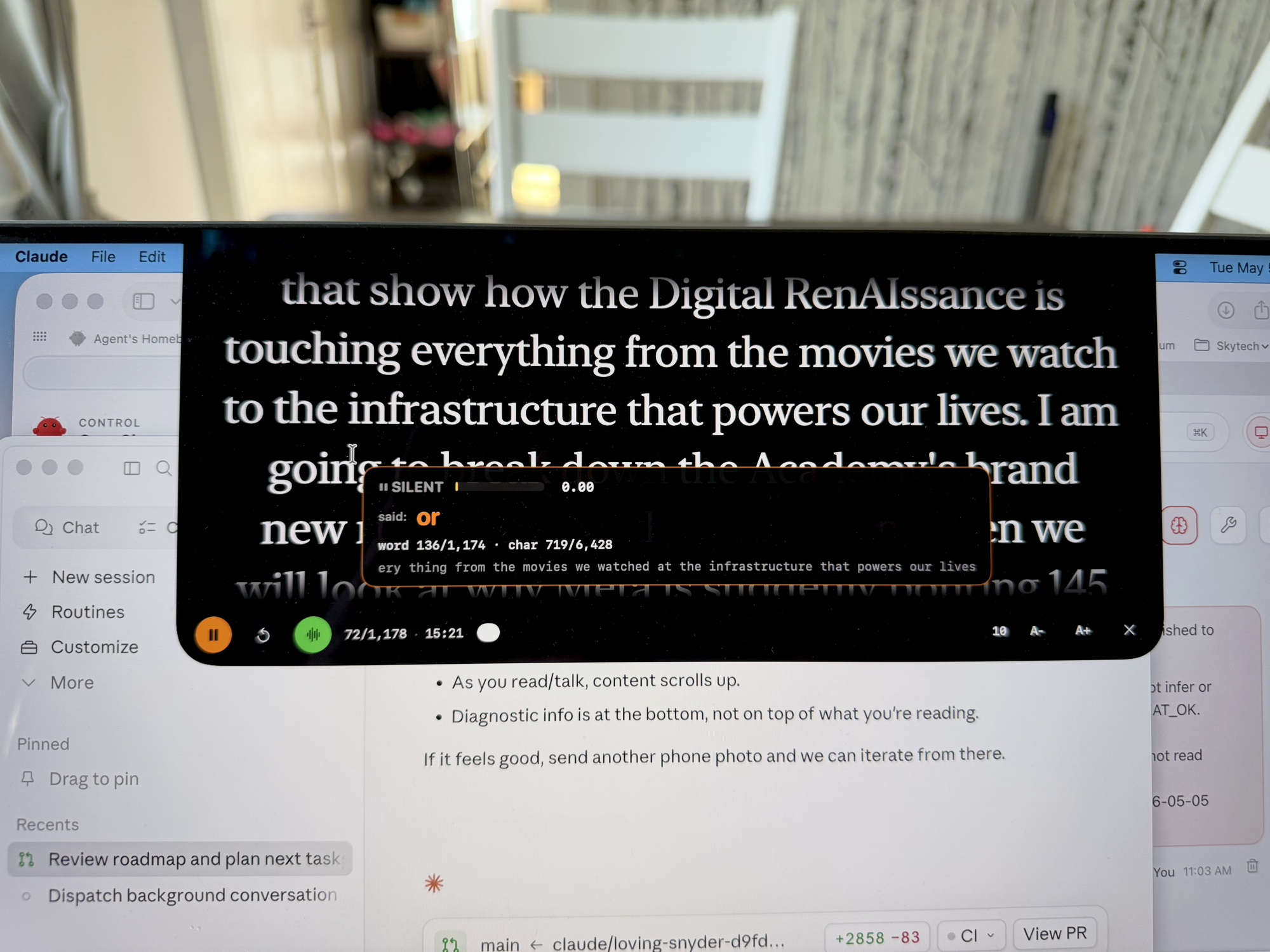
That loop ran for about two days. Sometimes the loop closed in five minutes. Sometimes a single bug took a whole evening of going back and forth, with me sending screenshots from my phone of what was happening on the laptop screen (because the teleprompter UI can't be screenshotted).
Nothing about that loop required me to know Swift. It did require me to know what good felt like and to keep telling Claude when it didn't.
What I did
I made every product decision. Should the read line be in the middle of the screen or near the camera. Should voice-follow be the default or a Pro feature. Should we allow users to resize the prompter window. Should the icon be one design or another. Should we charge for it or give it away. Should we support just English or every language.
I tested everything. Every build of Tellie that came out of Claude's keyboard ran on my actual Mac, talking into my actual microphone, reading actual scripts. Every regression I found, I described in the Claude chat. Most of the bugs we shipped along the way were caught by me using the app, not by Claude reading the code.
I made the visual identity. The Tellie name (named after my granddaughter Ellie, who is just learning to read). The orange. The "scrolls when you talk, stops when you don't" line. The landing page voice. The hand-designed icon (I drew it after Claude's coded versions kept looking like scary faces).


I owned the surfaces I had to touch in the real world. Vercel dashboard clicks. AWS Lightsail DNS. GitHub. App Store Developer ID. Notarization keychain profiles. None of those let an AI click for them, so I clicked.
I caught the most expensive bugs. The voice-follow matcher was producing wild jumps in the script for a day. Claude had ported it from another open-source teleprompter and it had been almost-working but never right. I kept saying "it jumped from 'rules' to 'an' in 'an actor's likeness' and I never said any of those words." Eventually that pressure paid off and Claude rewrote the matcher from scratch. After that, voice follow actually worked.
I caught the small but lethal bugs. Tellie 1.0.0 wouldn't launch on Sequoia at all because the binary required macOS 26. Tellie 1.0.1 launched on Sequoia but the microphone permission silently failed because of an entitlement Claude forgot. I figured those out by trying to install Tellie like a regular user and noting what didn't work.
What Claude did
Claude wrote the code. Roughly 4,000 lines of Swift, plus the landing page, plus the release pipeline, plus the GitHub commit messages, plus most of this article. I edited a handful of strings and rejected a handful of designs. I wrote, I think, three lines of HTML the entire time.
Claude solved the hard problems when given enough information. The matcher rewrite was real engineering. So was the velocity predictor that smooths the underline between recognizer fires. So was figuring out that hardened-runtime apps need a specific entitlement for the microphone, even though the Info.plist usage description is set. I would not have figured those out alone.
Claude also held the whole project in memory across days. When I came back the next morning and said "let's update the icon," Claude knew where the asset catalog was, what the menubar icon code looked like, and what file we'd need to touch. I had actual co-workers who would have lost the thread.
Claude was patient about being told it was wrong. Many times. Without ever sulking.
What Claude got wrong
This is the part the marketing won't tell you, so I will.
Claude shipped 1.0.0 with the wrong macOS deployment target. The build SDK was Tahoe, the deployment target was Tahoe, the landing page said "macOS 14+." That mismatch was Claude's. I caught it because I tried to install on my wife's Sequoia Mac and macOS politely told me no.
Claude shipped 1.0.1 with no microphone entitlement, so the very feature the app advertises silently failed when first used on any properly hardened-runtime build. Claude had been testing in Debug, where hardened runtime isn't enforced. The notarized release was the first time the bug could even appear, and Claude could not have caught it without me installing the real signed DMG and clicking the mic button.
Claude wrote a beautiful icon that looked like a scary face. The dark version, with two rows of eye-like marks above a mouth, made my skin crawl. After several iterations Claude's algorithmic icon was still not quite right. I made the final icon by hand in 20 minutes using Keynote.
Claude misread an instruction at one point. I said "make the stem of the T thinner" and Claude made the wrong dimension thinner. We sorted it out in two messages.
Claude could not test the app. Could not click. Could not see what the app actually looked like running unless I sent a phone screenshot. The eyes were always mine.
What I got wrong
I assumed Claude could do more design work than it actually could. Generating an icon programmatically, no matter how clever, will never match a human designer for taste. I should have just designed the icon myself on day one and given it to Claude to wire up.
I underestimated how much DNS and developer-account paperwork there would be. None of that requires intelligence. All of it requires a human at a keyboard, agreeing to terms, copying tokens, configuring records. Budget for it.
I sometimes wrote prompts that were too short. "Fix this" with a screenshot is much weaker than "the menubar item gets covered by the prompter on this Mac, here's what I see, my expectation was X." When I described the world properly, Claude gave back better answers. Screenshots are gold.
The shape of a good prompt
Watching myself over the week, my best prompts had three pieces.
- What I'm trying to do, in plain words.
- What I see when it doesn't work, in plain words or a picture.
- Any constraint I care about, like "don't break the matcher" or "free for early adopters means free forever, don't bait and switch later."
When all three were there, Claude moved fast and got it right. When I left one out, we wandered a bit.
How long it took
About three days of evenings (and a forth to vibe code the website). Maybe 25 hours of my time on the keyboard, mostly testing and steering. Probably 100 hours of equivalent dev work if you'd had a junior Mac developer doing the typing. The big multipliers were that Claude doesn't need coffee breaks and never gets stuck on syntax. I did have to hit a bunch of "allow" buttons that prevented Claude from runaway control in retrospect I wish I could grant once and let Claude rock.
The DMG you can download today went through five versions before the public release. Every version found something real. Most of those somethings were caught by me, the customer.
If you have an app idea and you're not a developer
Try this. Describe what you want, the way you'd describe it to a smart friend who's never seen it. When the first version doesn't work, describe what you actually see. Resist the urge to skip details because "it's a small thing."
Trust your taste over the AI's. Claude will draw an icon that looks like a face. Claude will pick gray hex codes that look professional and lifeless. You are the customer of your own app, and you know more than the AI does about what you wanted.
Use it. Open the build. Try the feature. Click around. The most useful thing you can possibly do with an AI coding partner is tell it what's wrong with the running build that you can see and it can't.
If you have an idea, you have most of what you need. The keyboard is the part that's easy to outsource now.
If you're a developer
Yes, the AI can do real engineering work. The matcher rewrite in Tellie is genuine code, not autocomplete. The velocity predictor is genuinely useful design. The asset-catalog 2x scaling bug Claude caught was a real, gnarly platform footgun.
But the testing loop is still yours. The product taste is still yours. The "this works on my actual machine" is still yours. The places where the AI cannot reach are exactly the places where most software actually breaks.
The other thing developers should know is that the AI is fast at the boring stuff in a way that frees you up. Writing the release pipeline, signing the DMG, configuring the entitlements, writing the Vercel function, drafting the meta tags for the landing page. All of that I would normally have grumbled through. Claude did it in minutes.
The seam is roughly where it has always been. Code is cheap. Judgment is dear.
What's next
Tellie 1.2 is in flight. It adds an onboarding wizard so first-time users find the menubar icon. It adds Sparkle so anyone on 1.0.3 will get future updates automatically. It adds the new icon I designed. Claude wrote it and I tested it and I told Claude what's wrong.
Same loop. Different release.
If you build something the same way, send me the link. I'd like to see what the rest of us have been quietly cooking.
Steve Chazin makes AI make sense. After three decades leading tech teams at companies like Apple and Salesforce, he's on a mission to show regular people how to use AI without fear or confusion. This is #AIforTheRestofUs. stevechazin.com
